On your dataLive and on your real numbers
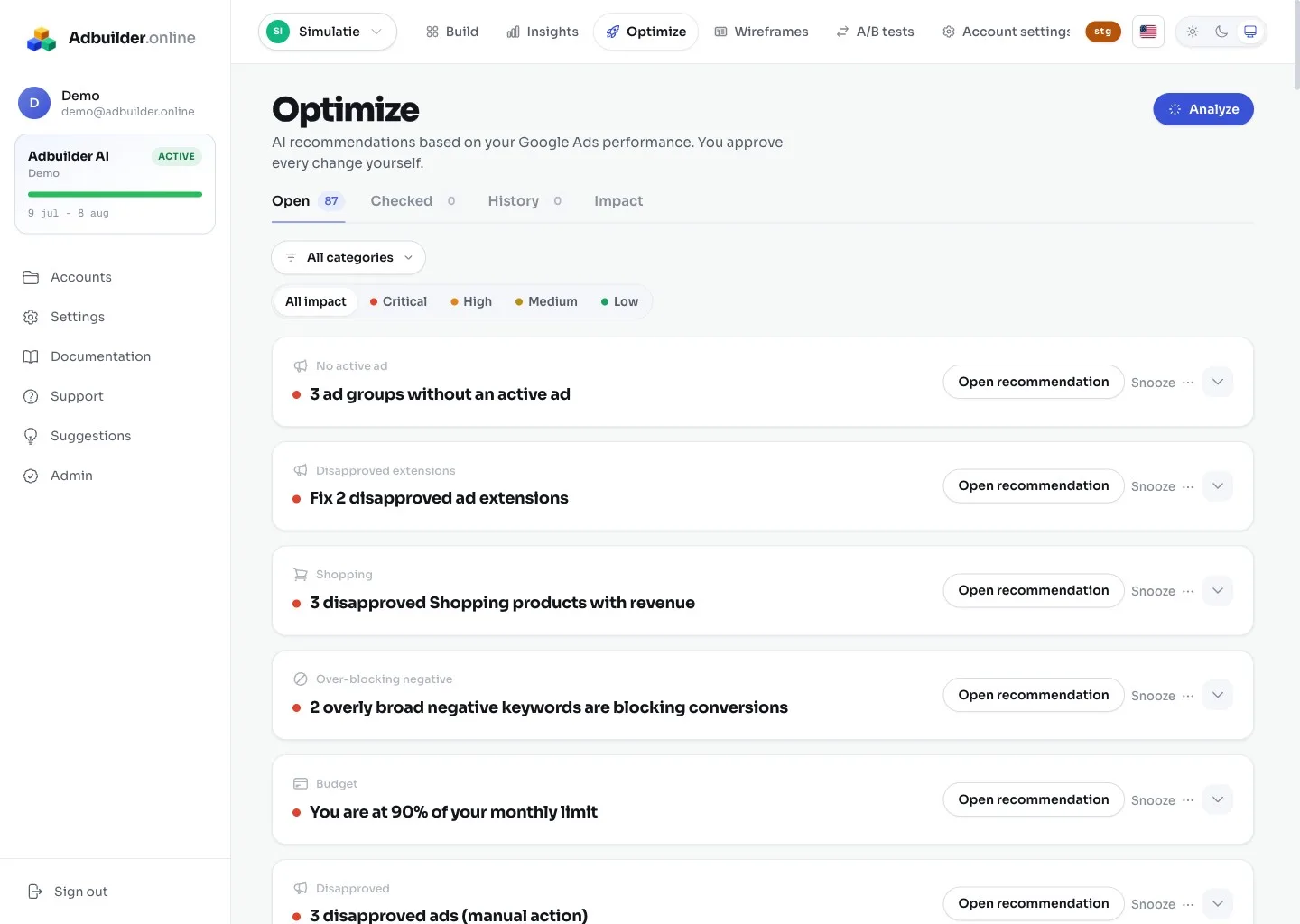
AdBuilder continuously looks at your account and makes concrete recommendations based on your actual performance. Every recommendation uses fixed thresholds: only when a problem is big enough and rests on enough data does a card appear. That way you get no noise based on a handful of clicks.
The lookback window scales with the size of your account: 30, 60 or 90 days. Smaller accounts look back further, so there is enough data behind a judgment. New campaigns first get a ramp-up period before they are adjusted. If you apply a recommendation, that same recommendation does not return for 14 days, so a change gets time to work.
Almost all thresholds are fixed and cannot be set yourself. The only exception is the budget monitor: you set your monthly cap and the allowed deviation (as a percentage) per account.
ApplyingOne click to Google Ads
Every recommendation comes with a popup with a clear action button (such as Add, Pause, Adjust or Exclude). Applying carries the change through directly in Google Ads and moves the card to the History tab. AdBuilder remembers exactly what was created or changed.
UndoAlways reversible
From the History you undo any applied recommendation. The saved changes are then reverted (an added keyword is, for example, paused instead of permanently deleted) and any labels are unlinked again.
Tackling themPriority, tabs and filters
Every recommendation has a priority: Critical (something is broken or you are losing money now, for example dropped tracking or blocked traffic), High, Medium and Low. Critical items are at the top. You work in tabs (Open, History and an account-wide Impact view) and filter by category and priority.
PostponingPostpone or ignore
If a recommendation does not fit, you can postpone it (1 day, 1 week or 1 month, after which it returns automatically) or ignore it permanently. An ignored type is not reopened at a subsequent analysis.
TrackingFewer recommendations without conversion tracking
If your conversion tracking is off, the recommendations that lean on conversions do not run. That applies to budget, bids and expensive or non-converting keywords. Without reliable conversion data, AdBuilder cannot make a fair judgment about those. If you turn on tracking, those recommendations become available.